loader

Activity No. 4: Measure the acceleration and display the value in the serial console (IoT sensors kit)

Using the NUCLEO-IKS01A3 accelerometers.
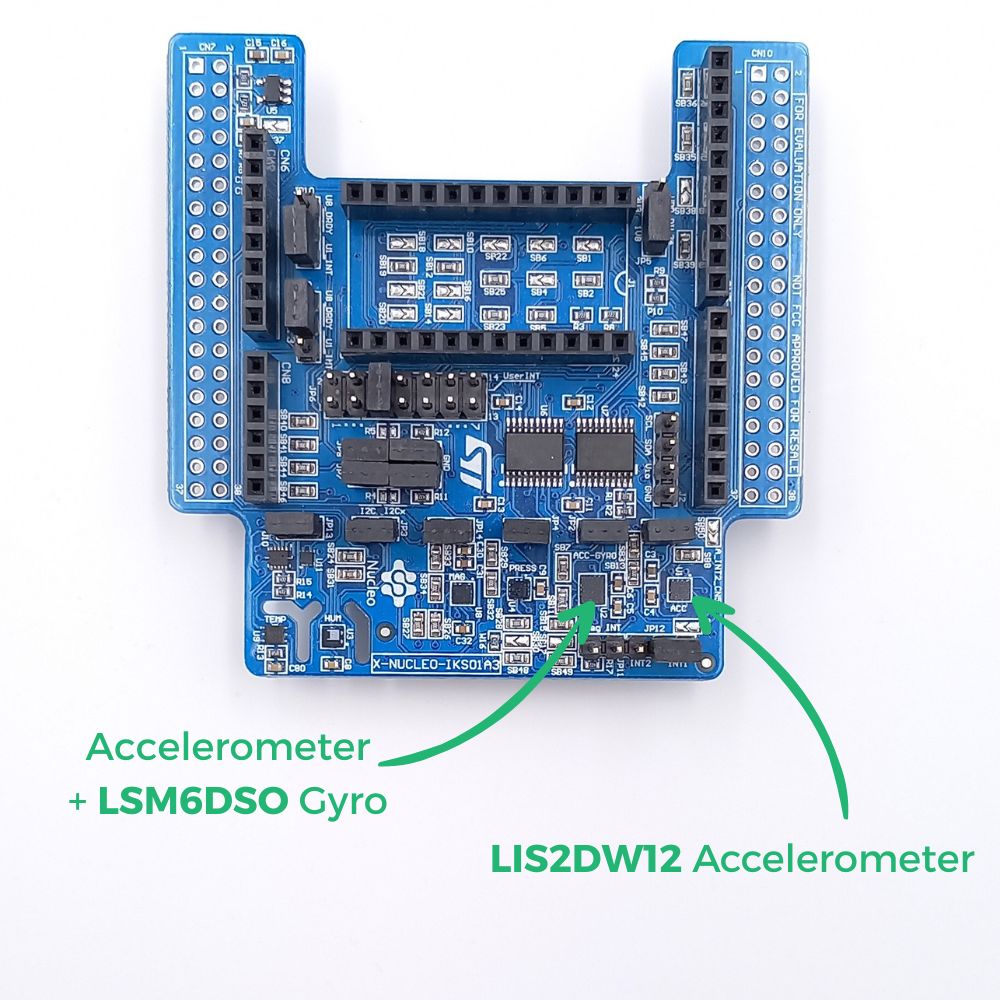
The NUCLEO-IKS01A3 has several MEMS (micro-electro-mechanical systems) modules to measure acceleration on the x, y, z axes. 

accelerometer-EN


The card's LIS2DW12 accelerometer measures the accelerations on the three axes and returns a value in mV/g. It is used in smartphones for the following applications: double pressure (double tap) - portrait/landscape detection - activity/inactivity...
On the Z axis, it can be used as an inclinometer. 

The LSM6DSO Accelerometer + Gyroscope measures the acceleration as well as the angular speeds around the x, y, z axes and returns a value in rad/s. 
It can be used in robot or drone stabilization applications. 


In the illustration below, you will find the positioning of the different x, y and z axes of the modules.
 schema-accelerometre  
Source : stm32python.gitlab.io

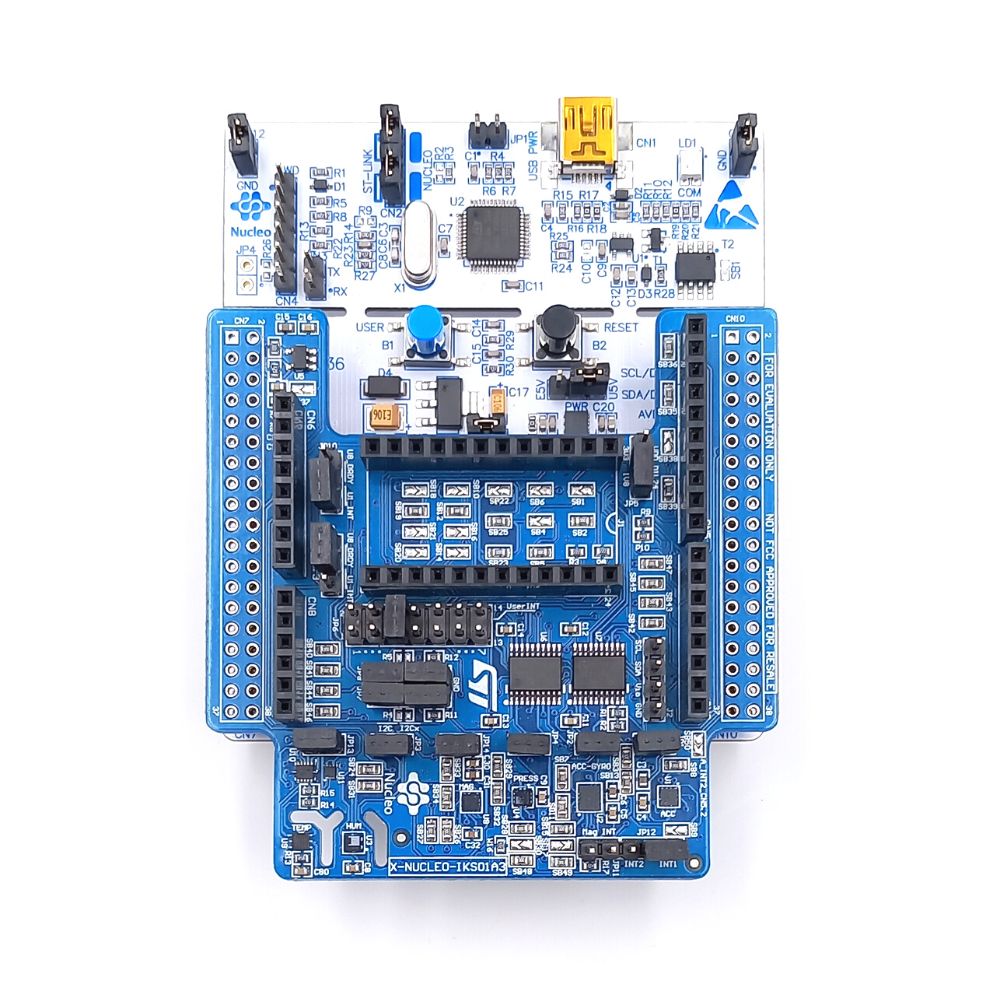
To measure the acceleration using the NUCLEO-L476RG card, the following connection must be made: 
- Connect the NUCLEO-IKS01A3 to the connectors of the card. 
- Connect the L476RG board to the computer using the mini-usb cable

IKS+L476-FR

Now let's go to the programming!

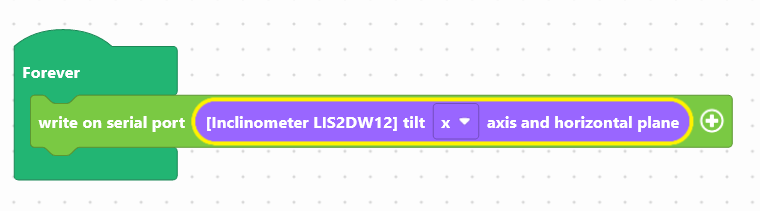
To program the LIS2DW12 module, we are going to use two blocks:
- "write in the console", available in the Communication of the block locker to manage the display.
- "[LIS2DW12 Inclinometer] inclination between the z and the horizontal plane", available in the Sensors, to retrieve the module value.
inclin-en

Use the following interface to program the module: 


The inclination value in degrees will be displayed in the console, at the bottom of the interface.

Once the program has been created, it must be copied onto the card. To do this, you must use the "Upload" button (see Activity 0: Getting started with the board)

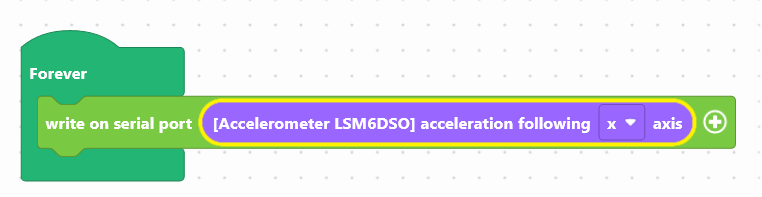
To program the LSM6DSO module in accelerometer mode, we will use two blocks:
- " write in the console ", available in the Communication of the block locker to manage the display.
- "[LSM6DSO accelerometer]acceleration along the x ", available in the Sensors, to retrieve the value of the module.

accelero-en

Use the following interface to program the module: 


The acceleration value in mV/g will be displayed in the console, at the bottom of the interface .

Once the program has been created, it must be copied onto the card. To do this, use the "Upload" button (see Activity 0: Getting to grips with the board)

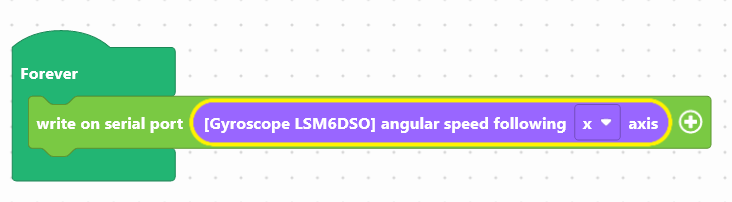
To program the LSM6DSO module in gyroscope mode, we will use two blocks:
- "write in the console", available in the Communication of the block locker to manage the display.
- "[LSM6DSO gyroscope] angular velocity along the x ", available in the Sensors, to retrieve the value of the module.

gyrosco-en

Use the following interface to program the module: 


The angular velocity value in rad/s will be displayed in the console, at the bottom of the interface.

Once the program has been created, it must be copied onto the card. To do this, you must use the "Upload" button (see Activity 0: Getting started with the board)


Did you succeed? Perfect, you now know how to program the different accelerometers using your NUCLEO-L476RG board! 
Discover the other activities of the IoT Sensors kit by clicking on the icons below.

Licence d'utilisation

Licence Creative Commons

Cette ressource est mise à disposition selon les termes de la Licence Creative Commons Attribution - Partage dans les Mêmes Conditions 2.0 France