loader

Activity No. 8 : measuring a distance (Starter kit Vittascience)

Using the ultrasonic sensor with the NUCLEO-L476 board.
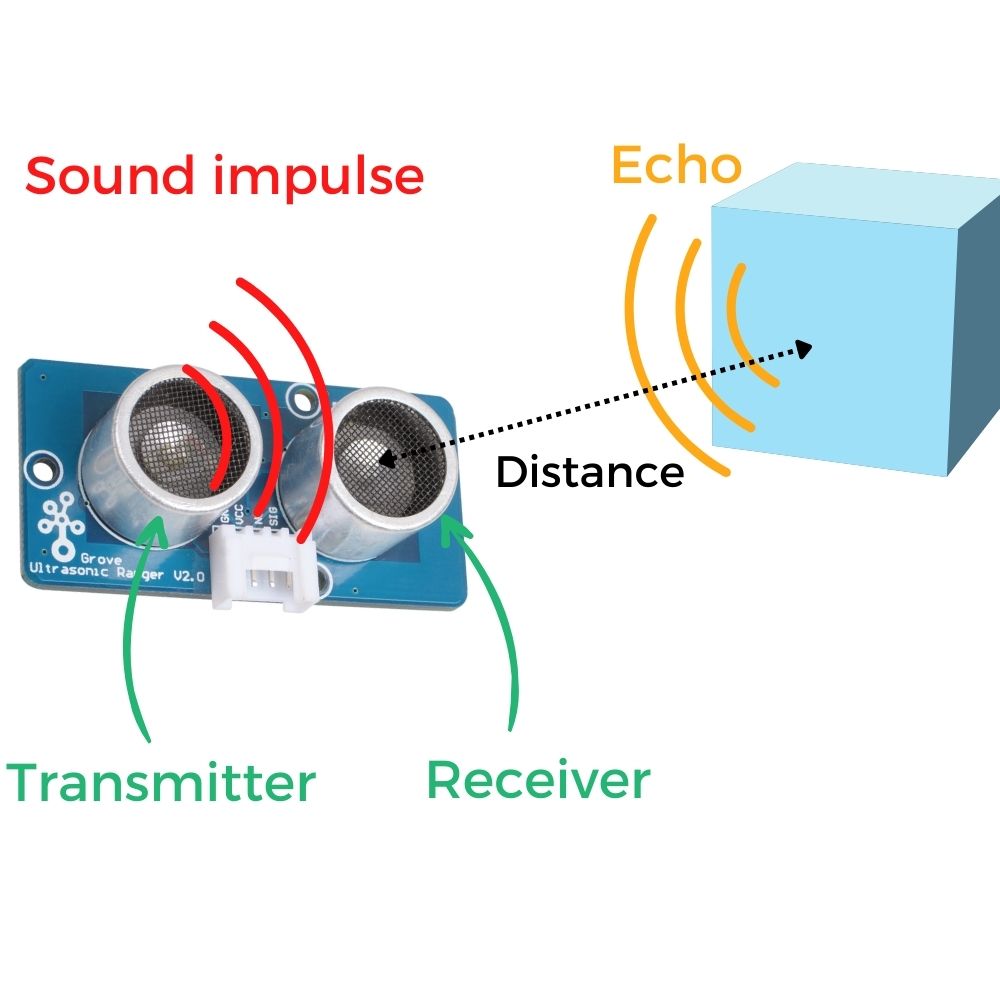
The Grove ultrasonic distance sensor is a module that measures the distance between the sensor and an object between 2 cm and 350 cm.

The operating principle is simple. This sensor emits ultrasound and calculates the time it takes to return to the receiver. It thus calculates the distance separating the sensor from the object which has reflected the echoing ultrasound. The information returned by the sensor is the distance in centimeters. 

zoom-ultrasons

To measure the distance using the NUCLEO-L476RG card, the following connection must be made: 
- Connect the Shield Grove to the connectors on the card. 
- Connect, using the Grove cable, the screen to one of the ports named I2C available.
- Connect the temperature module using the Grove cable to one of the analog ports. We will choose port D8.

ultrasons-EN

Be careful to respect the direction of connection of the Grove cable (4 wires in 1 with polarizing slot).

Let's get to the programming now! 

We will use two blocks:
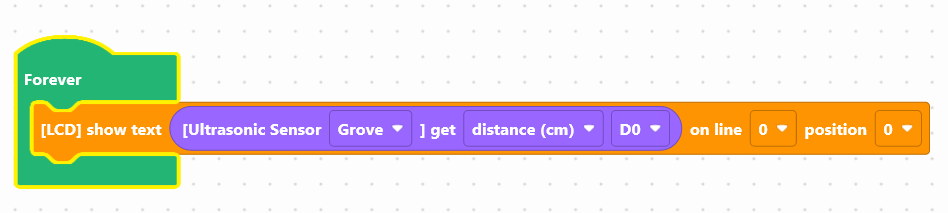
- " [LCD] display text ... on line 0 position 0 ", available in the Display of the block locker to manage the screen.
- "[Grove Ultrasonic Sensor] distance (cm) D8", available in the Sensors, to retrieve the module value.
ultrasound-en


Use the following interface to program the module: 

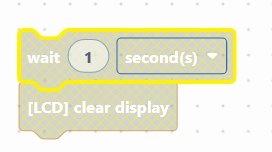
To facilitate reading, you can insert a pause and clear the screen. 
clear-en

Once the program has been created, it must be copied onto the card. To do this, use the "Upload" button (see Activity 0: Getting started with the board)

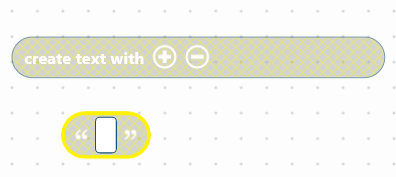
We are now going to create a text, to make it easier for the user to read. 

You must use the "create the text ... ... ... " block available in the Text of the block locker, combining it with the block ("...") which allows you to write. 
text-en

Here is an example of ready-to-use code:
This code includes:
- the display of the word "Distance:" on the first line of the screen
- the display of a text composed of the distance value + the symbol 'cm', on the second line of the screen
- a 1 second pause
- the cleaning of the screen to facilitate reading

Launch the simulator to check that your program is running correctly or download it to the card. 

You succeeded ? Perfect, you now know how to program a temperature sensor using your NUCLEO-L476RG board! 
Discover the other activities of the Starter kit by clicking on the icons below.

Licence d'utilisation

Licence Creative Commons

Cette ressource est mise à disposition selon les termes de la Licence Creative Commons Attribution - Partage dans les Mêmes Conditions 2.0 France